
Resources
Resources
In this first feature spotlight, we’re pulling back the curtain on three powerful tools inside Teacher View that make it easier to guide instruction on the fly and turn teachable moments into momentum—without interrupting your flow. Take a look below, or jump to the video to see how these tools will transform your teaching.
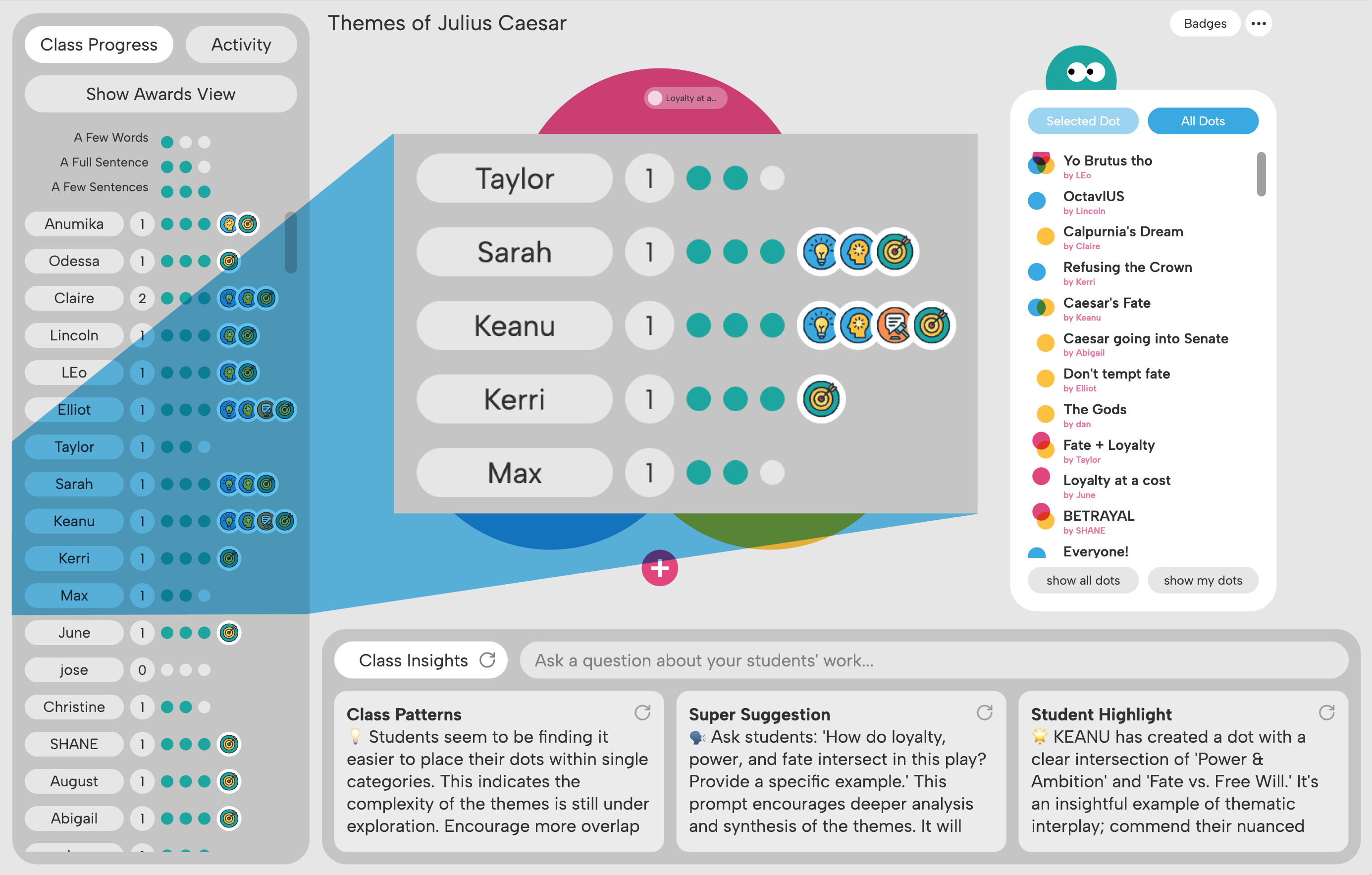
The Class Progress + Activity panels work together to show big-picture patterns of participation and live, moment-to-moment flow of ideas, giving you a more complete view of student thinking.
The Class Progress panel gives you a quick visual of key engagement metrics—the number of entries per student, green dots for length of contributions, and badges for depth of thought—so you can celebrate wins and spot who needs support. With the Activity panel’s live feed of student responses, you can see what’s happening in realtime and easily follow the class-wide conversation as it evolves.
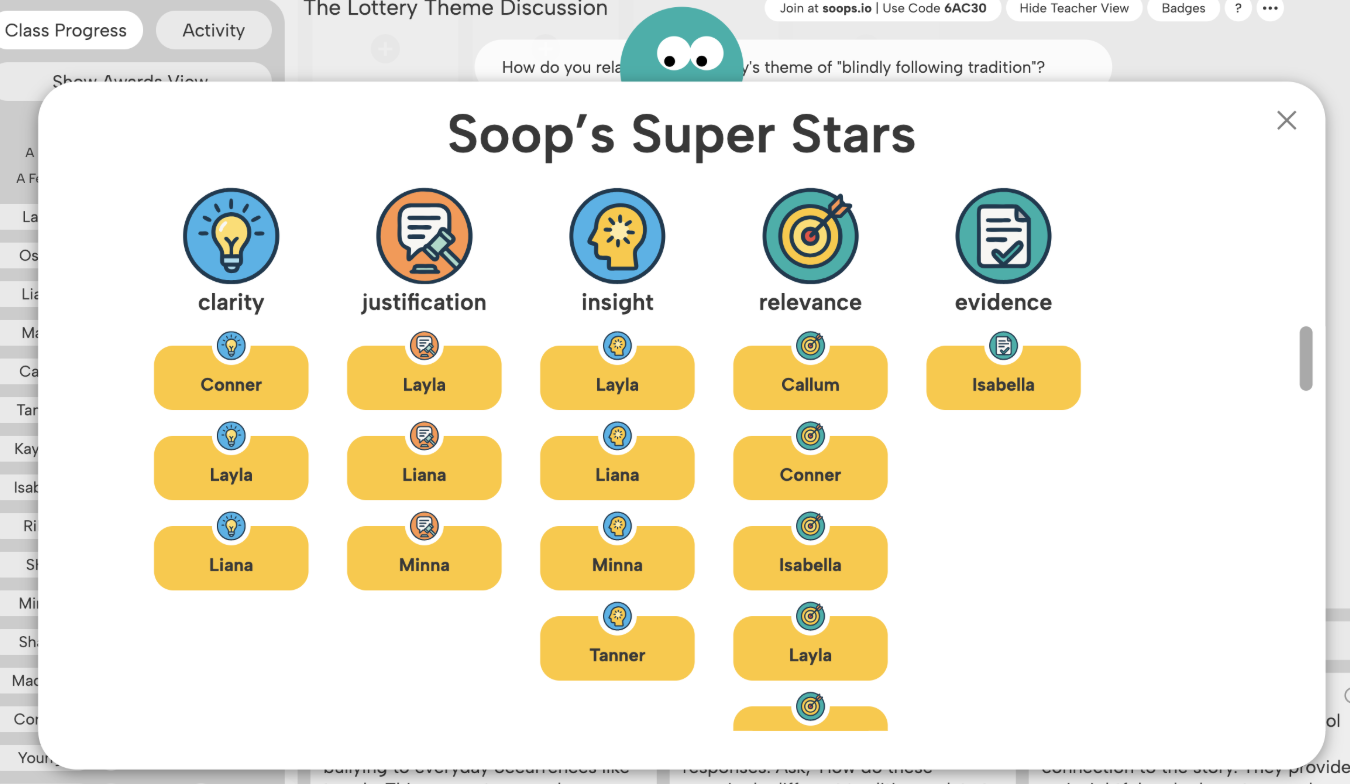
Soop, our AI-powered teaching assistant, awards students with badges for Clarity, Justification, Insight, Relevance, and Evidence in their responses, providing a clear picture of each learner’s strengths and areas for growth. Badges motivate students to think more deeply and engage with purpose, while giving you instant insight into the complexity of responses—so you can confidently see where learners are excelling, even before reviewing every answer.

Class Insights uses AI to help you make smart instructional moves—right in the moment or after the lesson. Class Patterns identifies trends in student thinking, showing where ideas cluster or need more exploration, and Super Suggestion turns those insights into discussion prompts to guide student thinking. You can use Student Highlight to celebrate students and surface strong ideas. Together, these tools help you spot gaps, elevate strong thinking, and adjust instruction on the fly. And if you have a question about student thinking, you can ask AI.
Teacher View shows what students are thinking and how they’re interacting, giving you the tools to guide learning with confidence and make the most of every moment in class.